I don’t remember when, but it got to a point where the colors I picked for the design systems became preposterously difficult to maintain. Perhaps it started around the time when I started building them by meticulously layering semi-opaque rectangles in a drawing tool like Figma.
There’s an art and a science to building pleasing color systems. To achieve the desired uniformity I wanted, I found it easiest to build the scales algorithmically, that is, defining all the constituent parts and then deriving each step from them. The colors, whether sampled from Figma or a dedicated tool that I built, then get put into the variables panel in Figma. This process works for as long as there are no changes to them, at which point it becomes deliriously difficult to maintain.
I remember two specific instances that led me down the path to dtg. In the first, I created this elaborate system of rectangles of different opacity in Figma and sampled every single swatch into the variables panel. Once, I decided that the background color needed to go darker. I had to go back into the project, change the color of the background frame, and then manually update all 54 colors inside the design system. This was but one of many.
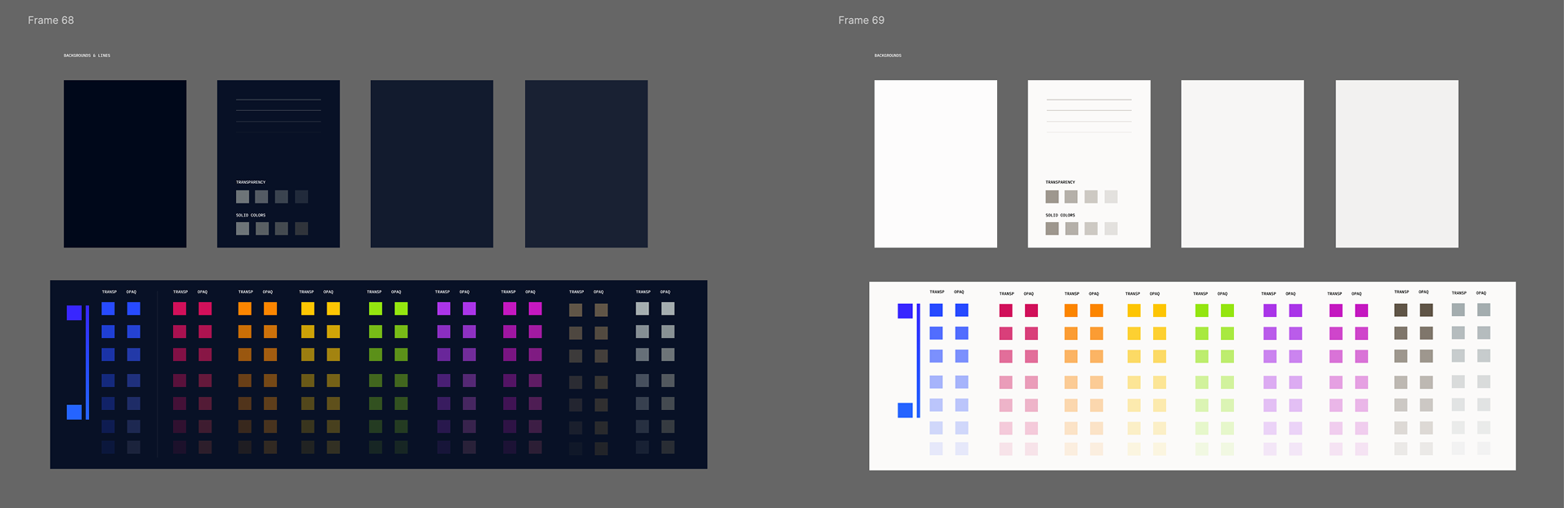
I used to maintain elaborate structures of rectangles so I can tweak colors and re-sample them.
The dedicated web tool simplified the first half of that process. The color palettes could now be computed, but every tweak still meant updating significant swaths of the palette by hand. And changes are inevitable. After all, colors are contextual to how they are used; it is nigh impossible to get it right the first time round.
I remember vividly the moment I took a detour from an active project to finish the first version of dtg. I was trying to visualize a half a percent (!) shift among a set of background colors and I was deliberating the line where a separation becomes a distinction. Because the colors were built in a scale, shifting one meant that every other color after it had to follow, and this triggered a cascade of alt-tabs and copy pastes. Every deliberation turned into an arduous choreography.
The first version of dtg cut each iteration down to the time required to change a value and save a file. Subsequently, I found myself with an interesting visual problem. I’d been staring at a well-balanced dark-mode palette and something felt a bit off. After several weeks of staring, I realized that the whole palette was a tad too green. I could’ve edited the definition file by hand, but picking the new color required some finesse. With a slight detour into versions 0.3 and 0.4, I could now fire up the editor, open the color picker, make changes and see Mosaic (my design system) hot reload immediately. I found that the sweet spot is in reducing the RGB green channel from 28 to 25.
That’s why I built dtg. Storing the recipes rather than just the color values lets me tweak them and immediately see the results. It makes a laborious process simple. And because the basics are now simple, it allows for much more discretion and sophistication in how color systems can be built.
I’ve now connected the editor to Mosaic’s public colors page, so you can try that part yourself. Open the hues palette, click the theme swatch, change its hue, and then look at the Button page. You’re editing the colors of a working design system, with components there to judge the result.
I think of it as a variables panel for colors in software projects. It’s open source; the code is here if you want to see how it works.